
Formats and completed examples
Bill Book Format
Download A4 bill-book and receipt-book masters with customer and office copies on each sheet. Both include a centre cut line, matching reference fields and blank writing space, plus completed examples.
Small shops that need printable bill and receipt pads.
On this page
At a glance
- Choose the bill pad for item quantities and rates or the receipt pad for an amount received.
- Print at actual size on A4 and test one sheet before making a stack.
- Enter the same transaction reference on the customer and office copies.
Download your format
Files are in English. Choose the version you need below.
Blank template — PDF
Print-ready fixed document. It has no fillable form fields.
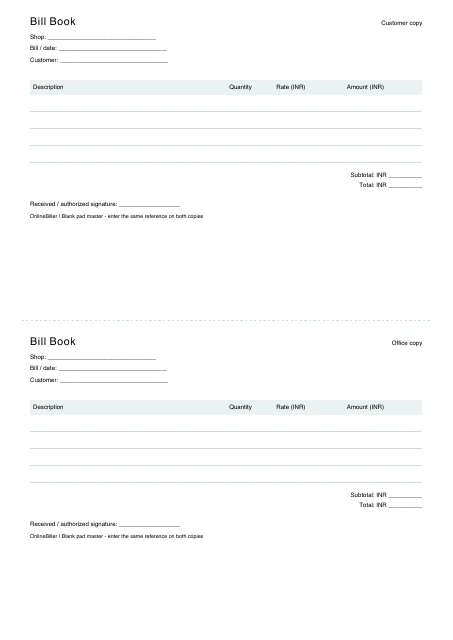 View PDF previewDownload PDF6 KB · A4, two A5-landscape copies · No calculations needed
Worked example — PDF
Print-ready fixed document. It has no fillable form fields.
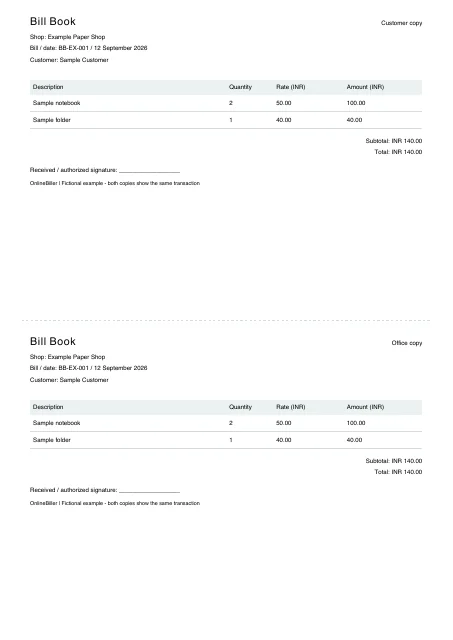 View PDF previewDownload PDF5 KB · A4, two A5-landscape copies · No calculations needed
Blank template (receipt-pad) — PDF
Print-ready fixed document. It has no fillable form fields.
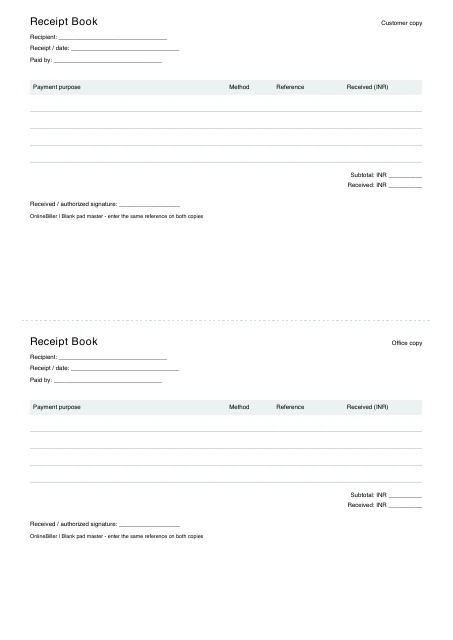 View PDF previewDownload PDF6 KB · A4, two A5-landscape copies · No calculations needed
Worked example (receipt-pad) — PDF
Print-ready fixed document. It has no fillable form fields.
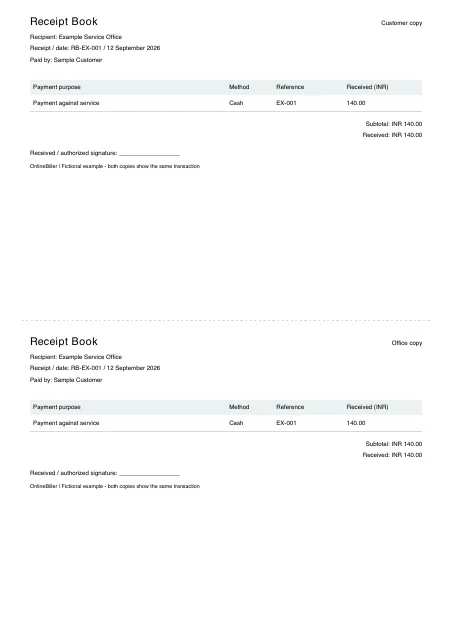 View PDF previewDownload PDF4 KB · A4, two A5-landscape copies · No calculations needed
A completed example
| Description | Quantity | Rate (INR) | Amount (INR) |
|---|---|---|---|
| Sample notebook | 2 | 50.00 | 100.00 |
| Sample folder | 1 | 40.00 | 40.00 |
Fictional example. Use the figures only to follow the document and calculation.
What to fill in
| Field | What to enter | Example |
|---|---|---|
| Copy reference | Use the same transaction number on both copies. | BB-EX-001 |
| Customer / office copy | Give each copy an explicit label instead of issuing two apparently unrelated bills. | Customer copy / Office copy |
| Writing space | Keep item names and amounts readable after printing at actual size. | Four blank entry lines per copy |
| Numbering | Add your own sequential reference or arrange numbering with the printer. | This PDF does not auto-number a stack |
Use matching copies of one transaction
The two halves are customer and office copies of the same bill. A second copy is not a second sale or a new payment record.
Print the A4 master at actual size
- Select A4 and actual size or 100% scale in the print dialog.
- Check the preview shows two complete copies and the center cut line.
- Test one sheet on your printer before preparing a stack.
- Enter the same reference and transaction details on both copies.
What the printable master does not do
The PDF is not a physical pad order and does not provide carbonless transfer, perforation, binding or automatic numbering. Those are separate printer or stationery choices. For a single paid-sale memo, use the cash-memo resource.
Download a fixed print master
These downloads are PDFs with no fillable fields. Print a blank master for handwriting or use a completed example to check the layout. They do not include Word files, automatic numbering or physical printing and binding.
Use the separate receipt-pad master
The receipt-pad companion labels the amount received and includes purpose, method and payment reference. Its customer and office copies carry the same receipt reference. The bill-pad master instead lists goods, quantity and rate; choose the correct document before printing.
Common questions
Is the file a delivered bill book?
No. Download and print the PDF yourself, or take it to a printer. You will need to arrange any binding or copy-transfer paper separately.
Can I use the two halves for different customers?
The labels are designed as matching copies. If you use another numbering or copy system, make that purpose clear before printing and issuing.