
Free bill & receipt generator
Free online bill, invoice and receipt generator.
Choose from 29 bill and receipt types for rent, fuel, restaurants, hotels, medical expenses and more. Enter your details, check the live preview and download your PDF.
- No account needed
- Unlimited downloads
- Free, with no plan to upsell


What would you like to do?
Create one bill, prepare a batch, get an editable file or find an answer.
Browse bill and receipt templates
Choose from 29 bill types. Open a template to edit one document, or use a bulk generator to create several PDFs from an Excel file.
Home & household
Rent, help, and the bills that arrive at your door.
5 bill types
Everyday spending
Eat, shop, restock — the receipts you get asked for later.
5 bill types
Vehicle & transport
Fuel, repairs, parking and freight.
5 bill types
Travel & stay
Tickets and hotel folios, for a claim or for the file.
4 bill types
Phone & internet
Postpaid, prepaid and broadband statements.
2 bill types
Health & education
Clinic, gym, school and course payments.
4 bill types
Business & tax
Invoices and vouchers that have to stand up to an accountant.
4 bill types
Find a format, prepare a document, understand your bill
Download an editable file, follow an example or find an answer to your billing question.
Formats and completed examples
Find editable bill, invoice and receipt formats with completed examples, field explanations and direct file downloads.
View all formatsBusiness document tools
Enter your details, check the preview and download the finished document.
Browse document toolsReusable templates
Use practical invoice email examples and expense report templates to send documents, organize expenses and prepare reimbursement requests.
View all templatesUnderstand your documents
Understand invoices, receipts, payment dates and document requirements, with worked examples and help finding original provider invoices.
View all guidesHow to create a bill
- 1
Choose a template
Choose your bill type, then select a layout with the fields you need.
- 2
Fill in the details
Enter the details from your records. Check names, dates and amounts as the preview updates.
- 3
Download the PDF
Select an available paper size and download your PDF. Downloads are free, with no account or download limit.
What you get
No account needed
Open a bill generator and enter your details. You do not need an email address or password.
Live receipt preview
Use the live preview to check your entries and layout before downloading the PDF.
Choose a receipt layout
Browse the layouts available for your bill type. Each template keeps its own draft in this browser.
Drafts saved in your browser
Return to your draft in the same browser. Clearing this site’s browser data removes saved drafts.
Clean PDF output
Download a PDF in your chosen paper size, ready to print or attach.
Works on a phone
Enter your details and check the receipt preview on your phone.
Bill and receipt generator FAQs
Help with creating free PDFs, entering receipt details, choosing templates and making bills in bulk.
How can I create a bill or receipt online for free?
Choose a bill type and template, replace the sample details, and check the live preview. Review the required confirmations and download your PDF. All 29 generators are free, with no account, subscription or download limit.
Does the PDF include a watermark or reference code?
Single bill PDFs include a small HOF reference code near the bottom edge. There is no large watermark over the bill. Bulk PDFs omit the reference code. Select an available paper size, save the file and print it from your PDF viewer if needed.
What details should I enter in a bill or receipt?
Start with the business or payee, customer, document number, date, items or payment purpose, and amount. Add the tax, payment and reference details offered by your chosen layout. Each generator has a field guide explaining its specific inputs. Replace sample information with your own records.
How do I make a rent receipt with landlord PAN?
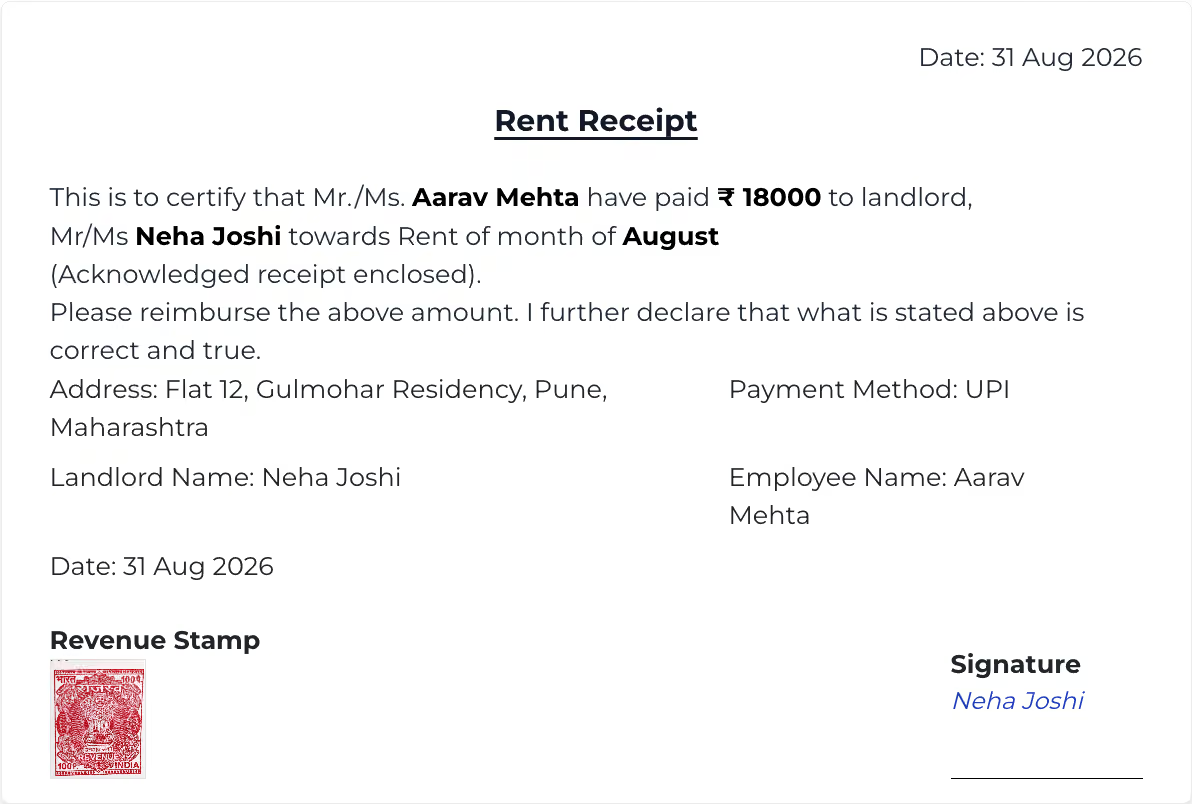
Open Rent Receipt with PAN and enter the tenant, property, landlord and PAN details, then the rental month, date, amount and payment method. Review the signature option before downloading. This PAN layout creates one receipt at a time; the bulk rent workbook supports standard receipts without PAN.
How do I create a petrol, diesel or EV charging receipt?
Choose a fuel bill template and enter the station, purchase date and vehicle details. Petrol and diesel formats use fuel rate and litres; EV formats use energy in kWh and charging fees. Review the amount and available payment fields, then download the receipt PDF.
Can I make an itemized restaurant bill with tax?
Yes. Enter the restaurant and order details, then add food items with quantities and prices. Use the selected layout’s discount, tax and service-charge fields where applicable. Delivery invoice formats also include customer addresses and order references. Check the item totals before saving.
Can I generate multiple receipts from an Excel file?
Yes. Bulk tools are available for fuel, restaurant, rent, driver salary, daily helper salary and recharge bills. Download the tool’s Excel template, fill its rows without changing the headers, save as .xlsx and upload it. Review the imported receipts and select Generate All PDFs. A ZIP of successful PDFs downloads when generation finishes. Use Download All to download it again if needed. No Google Drive is needed.
Can I add a logo or signature to my receipt?
Use a template that provides logo or signature controls, then choose one of the upload, URL or other options shown in that form. These options vary between layouts. Use images you are authorized to include and check their placement in the preview.
Can I save my bill details and edit them later?
Drafts are saved in this browser on this device; they do not sync between devices. Return to the same generator and template to edit the draft. Clearing browser data removes saved drafts. PDF downloads send document content to the server for rendering, as explained in the privacy policy.
Can I retrieve an original invoice from a store or travel account?
No. These templates create documents from the information you enter; they do not access Amazon, food-delivery, cab, hotel or airline accounts. To retrieve an original invoice or ticket, use the provider’s order or booking history, or contact that provider.
Create your next bill
Choose a bill type and start filling in the details. Use the tools free in your browser, without installing an app or creating an account.
Create a bill