
Reusable templates
Expense Report
Download an expense report in Excel, Word or PDF, plus a reimbursement claim cover. Record work expenses, refunds, receipt references and an advance to calculate the amount requested.
Employees and small teams assembling their own expense records for review.
On this page
At a glance
- The example’s INR 2,020 expenses less an INR 100 refund give INR 1,920 net spending.
- After deducting an INR 500 advance, the requested balance is INR 1,420.
- Mark missing evidence and use the employer’s policy and approval process.
Download your format
Files are in English. Choose the version you need below.
Blank template — DOCX
Editable Word document. Enter and check amounts manually; totals do not recalculate.
Download DOCX38 KB · A4 landscape · Enter and check totals yourselfBlank template — PDF
Print-ready fixed document. It has no fillable form fields.
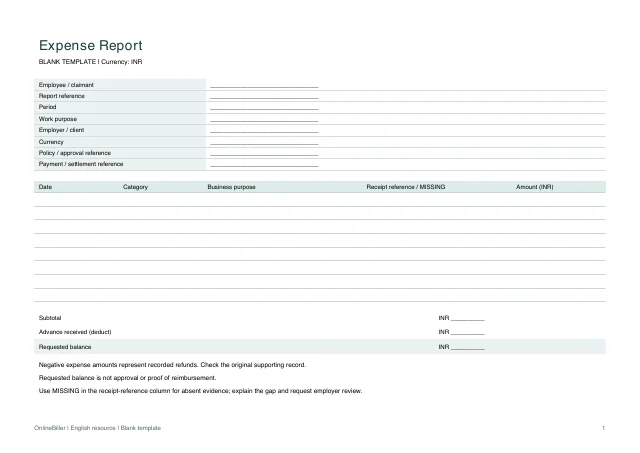 View PDF previewDownload PDF8 KB · A4 landscape · No calculations needed
Blank + example workbook — Excel
Includes Blank, Example and Instructions sheets. Formulas and fixed entry limits are documented inside.
Download XLSX11 KB · A4 landscape · Includes calculationsBlank template (claim-cover) — DOCX
Editable Word document. Enter and check amounts manually; totals do not recalculate.
Download DOCX38 KB · A4 landscape · Enter and check totals yourselfBlank template (claim-cover) — PDF
Print-ready fixed document. It has no fillable form fields.
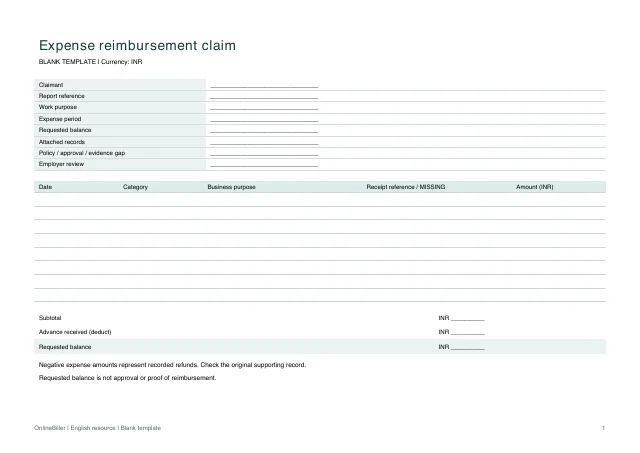 View PDF previewDownload PDF7 KB · A4 landscape · No calculations needed
Worked example (claim-cover) — DOCX
Editable Word document. Enter and check amounts manually; totals do not recalculate.
Download DOCX38 KB · A4 landscape · Enter and check totals yourselfWorked example (claim-cover) — PDF
Print-ready fixed document. It has no fillable form fields.
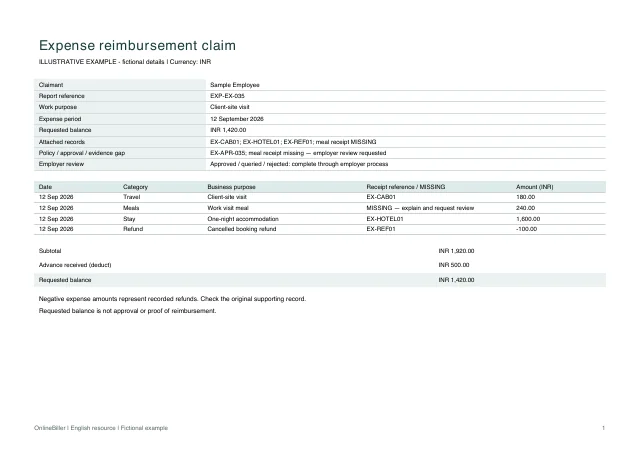 View PDF previewDownload PDF8 KB · A4 landscape · No calculations needed
Worked example — DOCX
Editable Word document. Enter and check amounts manually; totals do not recalculate.
Download DOCX38 KB · A4 landscape · Enter and check totals yourselfWorked example — PDF
Print-ready fixed document. It has no fillable form fields.
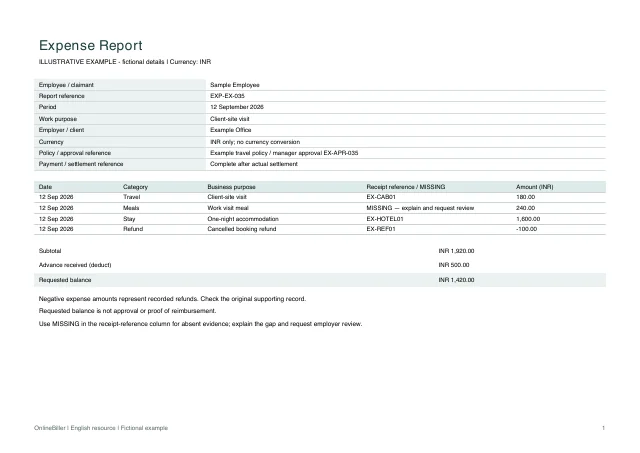 View PDF previewDownload PDF8 KB · A4 landscape · No calculations needed
A completed example
| Date | Category | Business purpose | Receipt reference / missing record | Amount (INR) |
|---|---|---|---|---|
| 12 Sep 2026 | Travel | Client-site visit | EX-CAB01 | 180.00 |
| 12 Sep 2026 | Meals | Work visit meal | MISSING — explain and request review | 240.00 |
| 12 Sep 2026 | Stay | One-night accommodation | EX-HOTEL01 | 1,600.00 |
| 12 Sep 2026 | Refund | Cancelled booking refund | EX-REF01 | -100.00 |
Fictional example. Use the figures only to follow the document and calculation.
What to fill in
| Field | What to enter | Example |
|---|---|---|
| Expense date and purpose | Identify when the expense arose and why it relates to the work. | 12 September / client-site visit |
| Receipt reference | Use a reference to the original record; mark a missing document instead of inventing a replacement. | EX-HOTEL01 or Missing — request original |
| Refunds | Enter a refund as a negative amount so total spending is not overstated. | −INR 100 cancellation refund |
| Advance | Deduct only money already advanced for this claim. | INR 500 employer advance |
| Policy and approval reference | Identify the applicable employer policy and approval or query record. Include any missing-document explanation on the claim cover. | Example travel policy / EX-APR-035 |
Which form should you submit?
The expense report itemizes spending; the claim cover identifies the claimant, requested amount, policy reference and review status. Follow your employer’s submission process. Insurers, medical schemes and government reimbursement programmes may require their own forms; these files do not replace them.
Follow the example’s reconciliation
The positive expenses total INR 2,020. A recorded INR 100 refund reduces net spending to INR 1,920. After deducting a received INR 500 advance, the requested balance is INR 1,420.
Keep the original evidence and mark gaps
- Enter each expense once with its date, business purpose and amount.
- Reference the actual supplier receipt or invoice. Mark any missing record and request it from the issuer.
- Record refunds and the actual employer advance separately.
- Check the report and complete the claim cover using the employer’s process.
Complete the report and claim cover
Use the Excel Blank sheet for the expense lines and advance; enter genuine refunds as negative amounts. Transfer the checked requested balance and evidence references to the separate claim cover. Word amounts are manual and PDFs are fixed copies. This INR-only workbook does not convert currencies.
Make missing evidence visible
Enter MISSING in the receipt-reference column when a record is absent, and explain the gap in the claim cover. The example marks the meal receipt as missing. Keep the employer policy and approval reference visible; neither the spreadsheet total nor this marker grants approval.
Common questions
Can this approve an expense or replace a missing receipt?
No. The template records a request. Keep original evidence and follow the employer’s or scheme’s required process.
Can I combine different currencies?
The workbook is INR-only. It does not perform currency conversion. Apply the relevant employer policy and document any conversion separately before entering the INR amount.