
Formats and completed examples
GST Invoice Format
Download GST invoice formats in Word, Excel and PDF with supplier and customer details, item values and separate tax components. The main example uses CGST and SGST; a separate manual example illustrates IGST.
Suppliers preparing a tax invoice from verified transaction and registration records.
On this page
- Download a file
- Completed example
- What to fill in
- Choose CGST/SGST or IGST for the actual supply
- Understand the workbook calculation
- A file is not e-invoice registration
- Choose the calculating or manual version
- Reconcile taxable value, tax and invoice total
- Map the file to the current GST generator
- Common questions
At a glance
- The main example has INR 1,600 taxable value, INR 144 CGST and INR 144 SGST: INR 1,888 total.
- The workbook applies shared CGST and SGST rates across all rows; the IGST example has no Excel formulas.
- Confirm the actual supply treatment, rates and document requirements before issue.
Download your format
Files are in English. Choose the version you need below.
Blank template — DOCX
Editable Word document. Enter and check amounts manually; totals do not recalculate.
Download DOCX38 KB · A4 landscape · Enter and check totals yourselfBlank template — PDF
Print-ready fixed document. It has no fillable form fields.
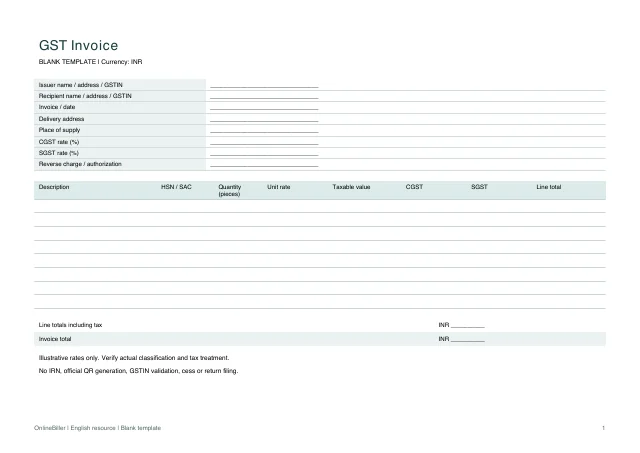 View PDF previewDownload PDF8 KB · A4 landscape · No calculations needed
Blank + example workbook — Excel
Includes Blank, Example and Instructions sheets. Formulas and fixed entry limits are documented inside.
Download XLSX13 KB · A4 landscape · Includes calculationsWorked example — DOCX
Editable Word document. Enter and check amounts manually; totals do not recalculate.
Download DOCX38 KB · A4 landscape · Enter and check totals yourselfWorked example — PDF
Print-ready fixed document. It has no fillable form fields.
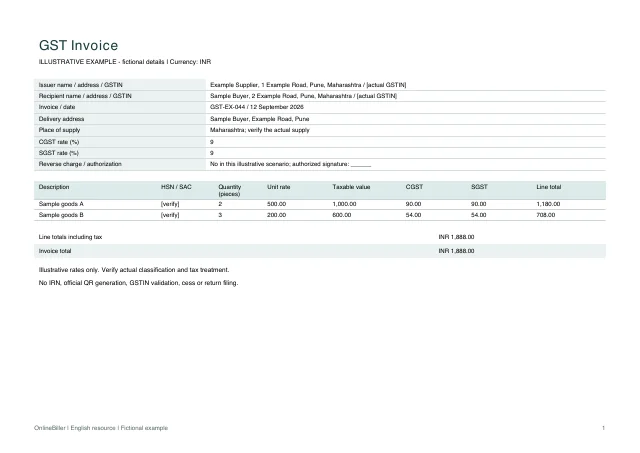 View PDF previewDownload PDF8 KB · A4 landscape · No calculations needed
Blank template (igst) — DOCX
Editable Word document. Enter and check amounts manually; totals do not recalculate.
Download DOCX38 KB · A4 landscape · Enter and check totals yourselfBlank template (igst) — PDF
Print-ready fixed document. It has no fillable form fields.
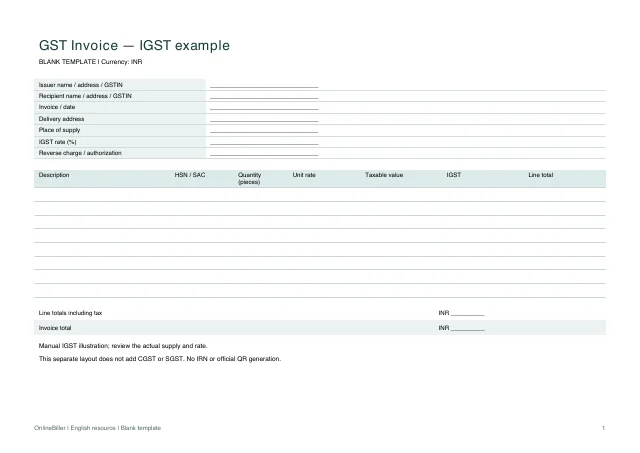 View PDF previewDownload PDF8 KB · A4 landscape · No calculations needed
Worked example (igst) — DOCX
Editable Word document. Enter and check amounts manually; totals do not recalculate.
Download DOCX38 KB · A4 landscape · Enter and check totals yourselfWorked example (igst) — PDF
Print-ready fixed document. It has no fillable form fields.
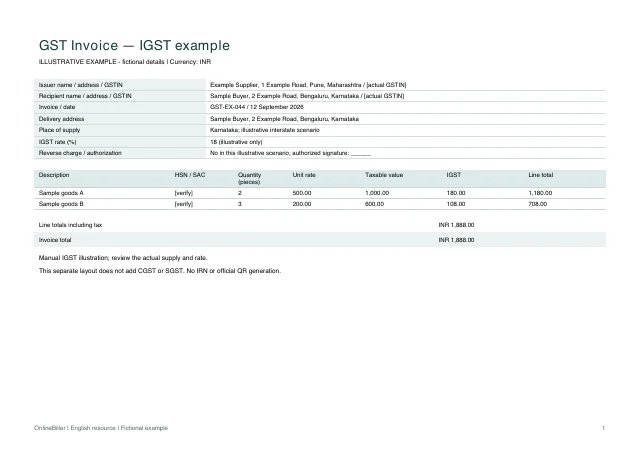 View PDF previewDownload PDF7 KB · A4 landscape · No calculations needed
A completed example
| Description | HSN / SAC | Quantity (pieces) | Unit rate | Taxable value | CGST | SGST | Line total |
|---|---|---|---|---|---|---|---|
| Sample goods A | [verify] | 2 | 500.00 | 1,000.00 | 90.00 | 90.00 | 1,180.00 |
| Sample goods B | [verify] | 3 | 200.00 | 600.00 | 54.00 | 54.00 | 708.00 |
Fictional example. Use the figures only to follow the document and calculation.
What to fill in
| Field | What to enter | Example |
|---|---|---|
| Invoice identity | Keep the actual consecutive serial within the applicable Rule 46 limit and unique for the financial year; do not reuse the example. | GST-EX-044 / 12 September 2026 |
| Supplier and recipient | Record actual names, addresses and applicable GSTINs. Placeholder identifiers must be replaced before issue. | Example Supplier; Sample Buyer |
| Supply and delivery | Check place of supply and delivery address separately; these determine more than the buyer name alone. | Pune, Maharashtra |
| Description and code | Use the actual goods/services description and applicable HSN/SAC. Example codes are intentionally not invented. | Enter verified HSN/SAC |
| Taxable value | Record the value on which the selected tax is calculated; this workbook has no discount, inclusive-tax or cess calculation. | 2 × INR 500 = INR 1,000 |
| Tax components | Select the correct supply treatment before choosing rates. The worked 9% + 9% arithmetic is illustrative, not a rate recommendation. | CGST 90; SGST 90 |
| Authorization | Use the authorized signatory or permitted electronic process appropriate to the real document. | Authorized signatory |
Choose CGST/SGST or IGST for the actual supply
Use the primary files only for an appropriate split CGST/SGST case. The separate IGST document illustrates a different supply scenario. Do not combine the two treatments just because both examples are available.
Understand the workbook calculation
The workbook first rounds quantity × unit rate to two decimals, then rounds each tax component on that line to two decimals. It sums the displayed line totals. Rates are shared across all lines; mixed-rate, tax-inclusive, discount and cess cases need a different reviewed calculation.
- Replace the party, invoice and supply details with verified records.
- Enter the applicable percentages in the two yellow rate fields. Blank-sheet rates start at zero.
- Enter quantity and unit rate, then compare each calculated value with the underlying transaction.
- Review document-specific requirements, authorization and any applicable IRN or QR process before issuing.
A file is not e-invoice registration
These files do not obtain an IRN, validate a GSTIN, generate an official QR code, file a return or decide credit eligibility. Any applicable registration and reporting process remains separate.
Choose the calculating or manual version
Use the Excel Blank sheet for up to ten items with shared CGST and SGST percentages. Keep its rounded line and tax formulas intact. Word amounts are manual, including the separate IGST version. The PDFs are fixed blank and worked copies. For per-item tax fields, see the separate generator mapping below.
Reconcile taxable value, tax and invoice total
The two example lines give taxable value INR 1,000 + INR 600 = INR 1,600. CGST is INR 90 + INR 54 = INR 144 and SGST is also INR 144. The invoice total is therefore INR 1,888. This is the amount represented by the two line totals, not INR 1,600 and not the tax amount alone.
The linked GST generator is a separate interactive workflow. Match the party and document details first, then check how its item and tax fields represent your actual transaction. Downloading these files does not import their rows into that generator.
Map the file to the current GST generator
| File area | Current generator fields | Important difference |
|---|---|---|
| Issuer and recipient | Company Name, GSTIN, Address; Client’s Company, GSTIN, Address | Enter the real details separately; files do not import |
| Document identity | Invoice Number, Invoice Date, Due Date, Place Of Supply | Check the actual supply and reference |
| Item rows | Description, HSN/SAC, Qty, Rate, Amount | Workbook quantity uses pieces in the worked example |
| Taxes | SGST%, CGST%, IGST%, CESS% per item | Workbook supports shared CGST/SGST rates only; no mixed rates, IGST or cess formula |
This mapping reflects the current form fields. Neither workflow automatically classifies a supply based on an address alone.
Common questions
Can I use the split-tax workbook for an IGST transaction?
No. Its formulas calculate two named tax components. Use the separately labeled manual IGST example only after checking the correct treatment, or use a suitable reviewed billing workflow.
Are the example rates current rates for my product?
No. They demonstrate arithmetic. Check the classification and applicable rate for your actual goods or services.
Does downloading this make my invoice compliant?
No. The template is an editable starting point; requirements depend on the actual supplier, recipient, supply and applicable rules.
Sources and further reading
- CGST Rule 46 — tax invoice particulars — Bounded field and numbering reference; special cases and applicable electronic-invoice processes must be reviewed separately.
Sources checked: .