
Formats and completed examples
Hotel Bill Format
Download a hotel bill in Word, Excel or PDF with stay dates, room nights, services and payments. The worked two-night stay totals INR 5,300; deducting an INR 1,000 advance leaves INR 4,300 due.
Small accommodation providers preparing their own guest bills, and readers learning how a stay is itemized.
On this page
At a glance
- Use nights for a room charged per night; keep arrival and departure dates separate from the invoice date.
- The Excel file calculates line amounts and deducts payments. Word amounts are edited manually.
- A sample does not replace a bill issued by the property where a guest actually stayed.
Download your format
Files are in English. Choose the version you need below.
Blank template — DOCX
Editable Word document. Enter and check amounts manually; totals do not recalculate.
Download DOCX38 KB · A4 · Enter and check totals yourselfBlank template — PDF
Print-ready fixed document. It has no fillable form fields.
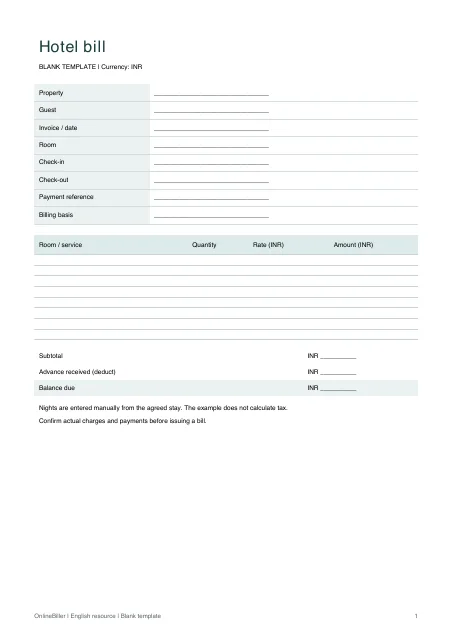 View PDF previewDownload PDF7 KB · A4 · No calculations needed
Blank + example workbook — Excel
Includes Blank, Example and Instructions sheets. Formulas and fixed entry limits are documented inside.
Download XLSX11 KB · A4 · Includes calculationsWorked example — DOCX
Editable Word document. Enter and check amounts manually; totals do not recalculate.
Download DOCX38 KB · A4 · Enter and check totals yourselfWorked example — PDF
Print-ready fixed document. It has no fillable form fields.
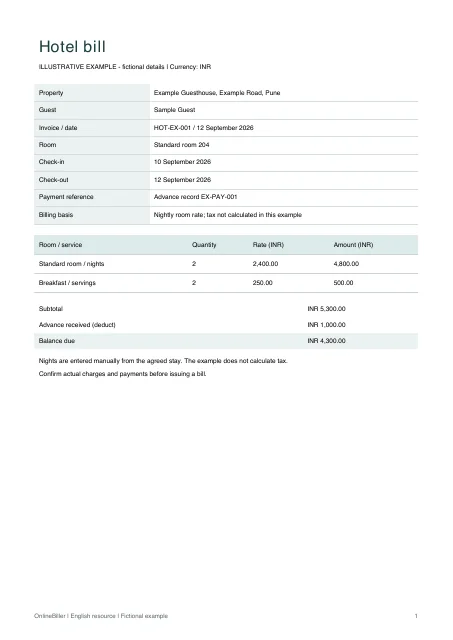 View PDF previewDownload PDF7 KB · A4 · No calculations needed
A completed example
| Charge | Quantity | Rate (INR) | Amount (INR) |
|---|---|---|---|
| Standard room / nights | 2 | 2,400.00 | 4,800.00 |
| Breakfast / servings | 2 | 250.00 | 500.00 |
| Subtotal | 5,300.00 | ||
| Advance received | −1,000.00 | ||
| Balance due | 4,300.00 |
Fictional example. Use the figures only to follow the document and calculation.
What to fill in
| Field | What to enter | Example |
|---|---|---|
| Stay and billing dates | Record check-in and check-out separately. The example charges two nights; confirm the property’s agreed check-out basis. | Check-in 10 September; check-out 12 September 2026 |
| Room basis | State the room type, quantity of nights and agreed price per night rather than showing only an unexplained total. | Standard room: 2 nights × INR 2,400 |
| Add-ons | List a supplied service separately, with its own quantity and rate. Do not hide it inside the room rate. | Breakfast: 2 × INR 250 |
| Payments | Deduct only the amount actually received and retain its separate reference in your records. | Advance received: INR 1,000 |
Choose the file for your task
Choose Word when you want to edit the labels or add a note. Its figures are manual: changing the number of nights does not update the amount. Choose Excel for line calculations and the payment deduction. The PDFs are fixed blank and worked documents for printing or reading.
Prepare and check a stay bill
- Enter your own property and guest details, invoice reference and date.
- Record the room, arrival and departure dates. Confirm the number of nights being charged.
- Enter each room or service line once. In Excel, use the existing yellow entry cells; green amount cells contain formulas.
- Record any payment already received. Check that the amount due equals the subtotal less that payment.
- Review applicable taxes separately with the person responsible for the property’s billing, then check print preview and retain the issued version.
What the workbook calculates
Blank, Example and Instructions are separate worksheets. There are ten entry rows. Each line multiplies quantity by rate and rounds to two decimal places; the subtotal sums those displayed amounts. The final formula deducts the entered advance.
The file does not calculate nights from stay dates, select tax rates, convert currencies or maintain a guest ledger. Adding rows outside the marked entry area does not automatically extend the total.
When you need the property’s original bill
Ask the accommodation provider for a missing or corrected bill. Editing a template cannot establish that a stay occurred or that the provider received payment. To prepare a bill using an online form, open the hotel bill generator below.
Common questions
Does changing the dates calculate the number of nights?
No. Enter the agreed number of nights in the quantity column. This avoids assuming a check-in or check-out rule that may not match the booking.
Can I use a spreadsheet for more than one guest?
Keep a separate copy for each bill. This workbook is a single-document template, not a booking or guest-account system.
Is the PDF editable or fillable?
The provided PDF is fixed and has no form fields. Use Word or Excel to edit the template before printing.