
Formats and completed examples
Taxi Bill Format
Download a taxi bill in Word, Excel or PDF with passenger, driver, vehicle and trip details. The completed example separates distance, waiting time and a toll, giving a fare of INR 562.
Independent taxi operators issuing their own trip bills.
On this page
At a glance
- Enter the agreed distance and rate; the file does not measure the route.
- Use separate rows for waiting, tolls and other agreed charges.
- The Excel workbook calculates line amounts; payment collection stays in your separate records.
Download your format
Files are in English. Choose the version you need below.
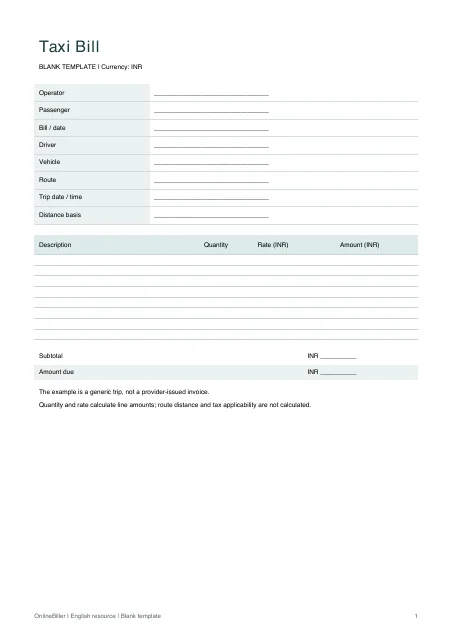
Blank template — DOCX
Editable Word document. Enter and check amounts manually; totals do not recalculate.
Download DOCX38 KB · A4 · Enter and check totals yourselfBlank template — PDF
Print-ready fixed document. It has no fillable form fields.
 View PDF previewDownload PDF7 KB · A4 · No calculations needed
Blank + example workbook — Excel
Includes Blank, Example and Instructions sheets. Formulas and fixed entry limits are documented inside.
Download XLSX11 KB · A4 · Includes calculationsWorked example — DOCX
Editable Word document. Enter and check amounts manually; totals do not recalculate.
Download DOCX38 KB · A4 · Enter and check totals yourselfWorked example — PDF
Print-ready fixed document. It has no fillable form fields.
 View PDF previewDownload PDF7 KB · A4 · No calculations needed
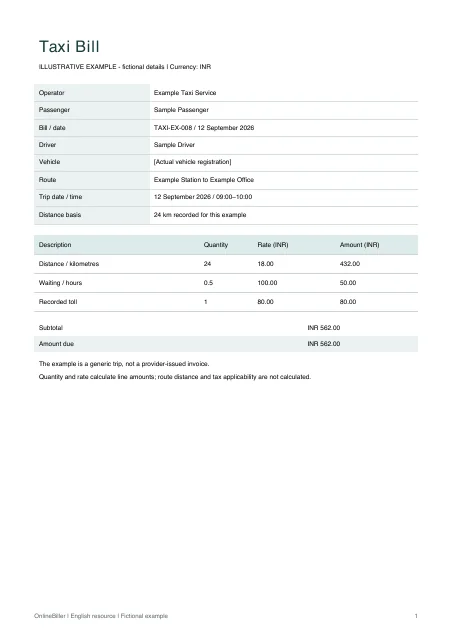
A completed example
| Description | Quantity | Rate (INR) | Amount (INR) |
|---|---|---|---|
| Distance / kilometres | 24 | 18.00 | 432.00 |
| Waiting / hours | 0.5 | 100.00 | 50.00 |
| Recorded toll | 1 | 80.00 | 80.00 |
Fictional example. Use the figures only to follow the document and calculation.
What to fill in
| Field | What to enter | Example |
|---|---|---|
| Trip route | State the actual pickup and destination; a template does not verify a journey. | Example Station → Example Office |
| Distance and rate | Use only the distance and rate agreed for this bill. | 24 km × INR 18 |
| Other charges | Keep waiting, toll or parking charges separate and explain their basis. | Waiting: 0.5 hour × INR 100 |
| Payment status | Distinguish amount due from an amount actually received. | Keep the actual received amount in a separate payment record |
Distance fare or fixed fare?
For a distance fare, enter kilometres as the quantity and the agreed per-kilometre price as the rate. For a fixed fare, use quantity 1 and the agreed trip amount. Keep waiting time or tolls on separate rows if they are charged separately.
Check the worked fare
The example is INR 432 for distance, INR 50 for waiting and INR 80 for a recorded toll, giving INR 562 before any separately reviewed tax or payment adjustment. The sample does not assert an official tariff.
Fill in the trip and charges
- Enter the operator, passenger, vehicle and actual route.
- Use a separate row for each agreed charge and its quantity/unit.
- Check the total against the trip record and any toll or parking evidence.
- Use print preview before issuing the bill; keep a separate record of payment.
Edit the trip bill
Use the Excel workbook’s ten input rows for quantity-by-rate calculations. Word amounts are manual. Check the passenger, vehicle, trip date and fare before saving an issued copy; the PDFs are fixed A4 examples and blank forms.
Common questions
Can this recover an Uber or Ola invoice?
No. Retrieve an original provider invoice through that provider’s own order or support process.
Does the workbook calculate distance from the route?
No. Enter the verified distance or use a single fixed-fare row. It has no map or trip-tracking connection.