
Formats and completed examples
Lorry Receipt Format
Download a lorry receipt format in Word and PDF to record goods handed to a carrier. The example identifies the consignor, consignee, route, five packages and 80 kg recorded weight, with a separate freight reference.
Transport businesses documenting goods they actually receive for carriage.
On this page
At a glance
- The consignor sends the goods; the consignee is the intended receiver.
- Record packages, weight and condition when the carrier receives the goods.
- Use a transport bill to show freight charges and a delivery challan to record the goods movement.
Download your format
Files are in English. Choose the version you need below.
Blank template — DOCX
Editable Word document. Enter and check amounts manually; totals do not recalculate.
Download DOCX38 KB · A4 · Enter and check totals yourselfBlank template — PDF
Print-ready fixed document. It has no fillable form fields.
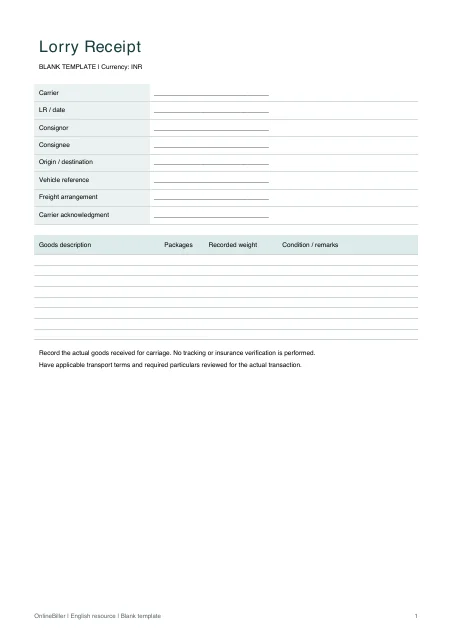 View PDF previewDownload PDF6 KB · A4 · No calculations needed
Worked example — DOCX
Editable Word document. Enter and check amounts manually; totals do not recalculate.
Download DOCX38 KB · A4 · Enter and check totals yourselfWorked example — PDF
Print-ready fixed document. It has no fillable form fields.
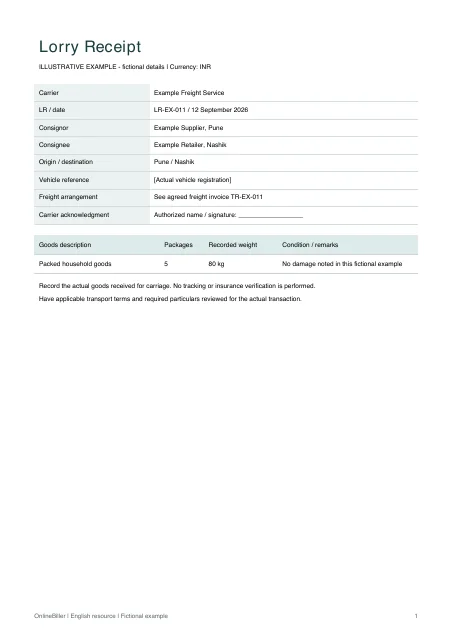 View PDF previewDownload PDF6 KB · A4 · No calculations needed
A completed example
| Goods description | Packages | Recorded weight | Condition / remarks |
|---|---|---|---|
| Packed household goods | 5 | 80 kg | No damage noted in this fictional example |
Fictional example. Use the figures only to follow the document and calculation.
What to fill in
| Field | What to enter | Example |
|---|---|---|
| Consignor and consignee | Identify the sender and intended receiver separately. | Example Supplier → Example Retailer |
| Packages and goods | State package count, goods description and the recorded weight with units. | 5 cartons / recorded gross weight 80 kg |
| Origin and destination | Use the actual dispatch and delivery locations. | Pune to Nashik |
| Freight reference | State the relevant arrangement or invoice reference without treating goods value as freight charges. | Freight invoice TR-EX-011 |
Record receipt of the goods
The shipment acknowledgment identifies goods handed to a carrier. A transport invoice states charges for the transport service; a delivery challan records a goods movement. Do not use the titles interchangeably.
Check the shipment example
The example records five cartons and a gross weight of 80 kg. These are recorded shipment details, not a tariff calculation or a certification of the goods’ value. If freight is payable, keep the separate invoice reference with the shipment record.
Complete the shipment record
- Check the sender, receiver and destination against the transport instruction.
- Record the goods, package count, units and actual observed condition.
- Add the vehicle or carrier reference used for this movement.
- Review any applicable transport terms and statutory requirements for the actual service before issuing.
Complete the shipment details
Edit the parties, route, goods and acknowledgment fields in Word, or print the blank A4 PDF. Check package counts and weight units against the shipment record. Keep the freight invoice reference with the LR; these files do not calculate freight or track delivery.
Common questions
Is the goods value the transport charge?
No. A declared value of goods and the amount charged for carrying them are different figures. Label each clearly if your own process uses both.
Does the existing Porter-style form have these fields?
The transportation generator creates a consignment note. Check its fields before choosing it. It does not calculate freight charges or track a shipment, and the downloadable LR does not add those features.