
Formats and completed examples
Transport Bill Format
Download a transport bill in Word, Excel or PDF for freight, loading and other agreed service charges. The example totals INR 5,000, less an INR 1,000 advance, leaving INR 4,000 due.
Transport operators billing their own freight service.
On this page
At a glance
- Bill the transport service separately from the value of the goods carried.
- Link the invoice to the route, vehicle and LR or consignment reference.
- Excel calculates the entered charges and deducts the advance; it does not calculate distance or tolls.
Download your format
Files are in English. Choose the version you need below.
Blank template — DOCX
Editable Word document. Enter and check amounts manually; totals do not recalculate.
Download DOCX38 KB · A4 · Enter and check totals yourselfBlank template — PDF
Print-ready fixed document. It has no fillable form fields.
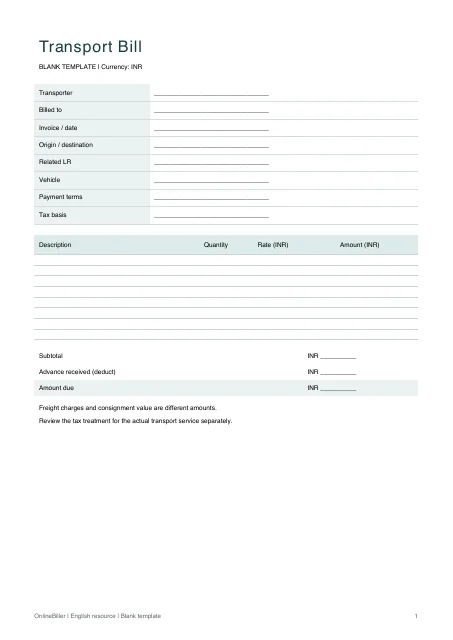 View PDF previewDownload PDF7 KB · A4 · No calculations needed
Blank + example workbook — Excel
Includes Blank, Example and Instructions sheets. Formulas and fixed entry limits are documented inside.
Download XLSX11 KB · A4 · Includes calculationsWorked example — DOCX
Editable Word document. Enter and check amounts manually; totals do not recalculate.
Download DOCX38 KB · A4 · Enter and check totals yourselfWorked example — PDF
Print-ready fixed document. It has no fillable form fields.
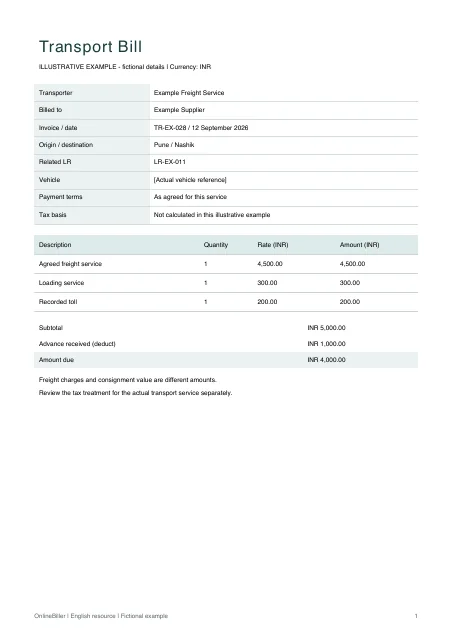 View PDF previewDownload PDF7 KB · A4 · No calculations needed
A completed example
| Description | Quantity | Rate (INR) | Amount (INR) |
|---|---|---|---|
| Agreed freight service | 1 | 4,500.00 | 4,500.00 |
| Loading service | 1 | 300.00 | 300.00 |
| Recorded toll | 1 | 200.00 | 200.00 |
Fictional example. Use the figures only to follow the document and calculation.
What to fill in
| Field | What to enter | Example |
|---|---|---|
| Service route | Identify pickup and delivery locations for the invoiced service. | Pune to Nashik |
| Shipment reference | Use the related LR or consignment reference, not the invoice total as a goods value. | LR-EX-011 |
| Charge basis | Describe a fixed trip, weight or other agreed pricing basis. | One agreed freight service × INR 4,500 |
| Extra charges | State only charges actually agreed or supported by records. | Loading service INR 300 |
Do not use the goods value as freight
A freight invoice bills the transport service. The declared worth of the consignment, package count and shipment acknowledgment are separate records.
Check the charge breakdown
The example has INR 4,500 freight, INR 300 loading and INR 200 toll, totaling INR 5,000. A separately recorded INR 1,000 advance leaves INR 4,000 due. The file does not select a transport tax treatment.
Prepare the service invoice
- Confirm the billed party and actual route.
- Match the shipment and vehicle references.
- List the agreed service and extra charges separately.
- Check any received advance and the remaining amount before issuing.
Enter the freight and payment figures
Use the Excel Blank sheet for up to ten quantity-and-rate lines and the recorded advance. Leave the amount and balance formulas intact. Word provides manual editing; PDF provides fixed blank and worked copies. Keep the related lorry receipt or delivery challan with the shipment records.
Common questions
Is this a bilty or lorry receipt?
No. Those identify a shipment received for carriage. This document bills transport charges and can refer to the shipment record.
Does it calculate distance or tolls?
No. Enter the actual agreed charge or recorded amount. No route map, tracking or toll service is connected.