
Formats and completed examples
Export Invoice Format
Download an export invoice in Word or PDF with overseas buyer, delivery destination, shipment reference and item values. The worked goods example uses INR and shows a conditional bond/LUT endorsement.
Exporters assembling commercial information for professional review; the file is not customs or tax clearance.
On this page
At a glance
- The goods example totals two components at INR 2,500 each: INR 5,000.
- Word labels and amounts can be edited manually; there is no Excel workbook or currency conversion.
- Check the actual export route and shipment requirements before using an endorsement.
Download your format
Files are in English. Choose the version you need below.
Blank template — DOCX
Editable Word document. Enter and check amounts manually; totals do not recalculate.
Download DOCX38 KB · A4 · Enter and check totals yourselfBlank template — PDF
Print-ready fixed document. It has no fillable form fields.
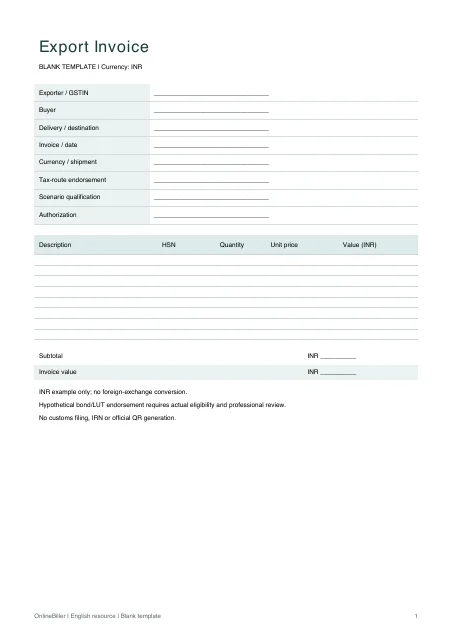 View PDF previewDownload PDF7 KB · A4 · No calculations needed
Worked example — DOCX
Editable Word document. Enter and check amounts manually; totals do not recalculate.
Download DOCX38 KB · A4 · Enter and check totals yourselfWorked example — PDF
Print-ready fixed document. It has no fillable form fields.
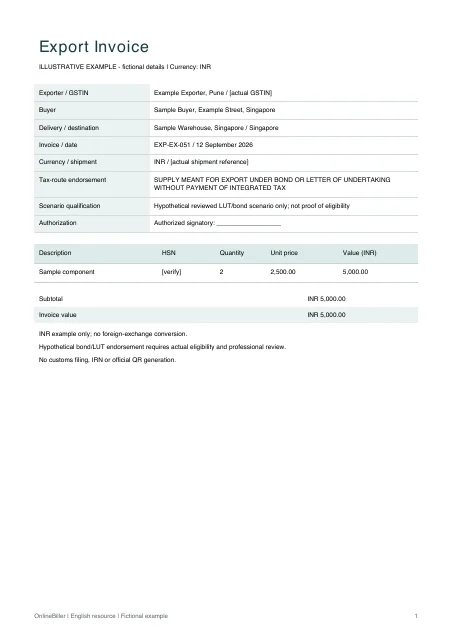 View PDF previewDownload PDF7 KB · A4 · No calculations needed
A completed example
| Description | HSN | Quantity | Unit price | Value (INR) |
|---|---|---|---|---|
| Sample component | [verify] | 2 | 2,500.00 | 5,000.00 |
Fictional example. Use the figures only to follow the document and calculation.
What to fill in
| Field | What to enter | Example |
|---|---|---|
| Parties and destination | Identify the supplier, overseas buyer, delivery address and destination country accurately. | Example Exporter, Pune → Sample Buyer, Singapore |
| Currency | State one agreed invoice currency. These example files use INR and do not convert currencies. | INR |
| Goods and shipping reference | Use verified descriptions, classification, quantity and relevant shipment references. | Two sample components; actual HSN |
| Export endorsement | Select the full endorsement applicable to the real tax route; do not combine IGST-payment and bond/LUT alternatives. | Review the actual payment-of-tax or bond/LUT route |
Match the invoice to the actual shipment
An export invoice connects the buyer, goods, value and destination. The worked example uses INR so there is no hidden exchange-rate calculation. Confirm the real commercial currency, contract and shipping information before editing a document for use.
Choose the applicable export route
The displayed endorsement illustrates a hypothetical bond/LUT transaction without payment of integrated tax. A transaction under a different route requires the corresponding verified wording and tax treatment. The example does not establish LUT validity or eligibility.
Keep shipping and official processes separate
These downloads do not generate a shipping bill, certificate of origin, packing list, customs filing, IRN or official QR code. An invoice may be one part of the shipment documentation; confirm requirements with the relevant professional or authority.
- Check the buyer, consignee, delivery address and destination country.
- Record the actual items, classification, quantities and agreed currency.
- Select and review the applicable tax treatment and endorsement.
- Reconcile the invoice with the packing, contract and shipment records.
Edit the goods invoice in Word
Replace the seller, buyer, destination, item and shipment placeholders. Check the agreed currency and every amount manually, then review the applicable endorsement. The PDFs are fixed copies. The services comparison below explains different fields; it is not a separate downloadable services template.
Goods export, services export and domestic supply
| Scenario | Useful identifying detail | Separate review |
|---|---|---|
| Goods example in these files | Two components, HSN, quantity and destination | Shipment documentation and applicable export route |
| Services example: remote design work | One agreed design milestone, SAC and overseas customer details | Whether the actual services meet the applicable export conditions |
| Domestic supply | Domestic customer, supply location and item details | Use the appropriate domestic invoice and tax treatment |
For a manual services example, one approved design milestone at INR 5,000 gives INR 5,000 before any separately reviewed tax treatment. An overseas customer name alone does not determine export eligibility.
Common questions
Can I change INR to another currency?
The Word layout can be edited manually, but you must change every relevant currency label and check all amounts. No conversion or exchange-rate rule is supplied.
Is every export eligible for the displayed LUT wording?
No. The wording is a conditional example, not an eligibility decision. Review the actual route and documentation.
Will customs accept this download?
No acceptance is guaranteed. Requirements depend on the shipment and jurisdiction; the template does not submit or validate documents.
Sources and further reading
- CGST Rule 46 — export invoice particulars — Applicable export endorsement, recipient/delivery particulars and destination; route eligibility remains a separate review.
Sources checked: .