
Formats and completed examples
Quotation Format
Download quotation formats in Word, Excel and PDF with item prices, scope, validity and delivery terms. The completed offer quotes twelve display boards and artwork setup for INR 4,800.
Small businesses preparing their own offers for goods or services.
On this page
At a glance
- State what the price includes and how long the offer is valid.
- The Excel workbook calculates item amounts; enter delivery and payment terms as text.
- Keep the customer’s acceptance or purchase order with the quotation.
Download your format
Files are in English. Choose the version you need below.
Blank template — DOCX
Editable Word document. Enter and check amounts manually; totals do not recalculate.
Download DOCX38 KB · A4 · Enter and check totals yourselfBlank template — PDF
Print-ready fixed document. It has no fillable form fields.
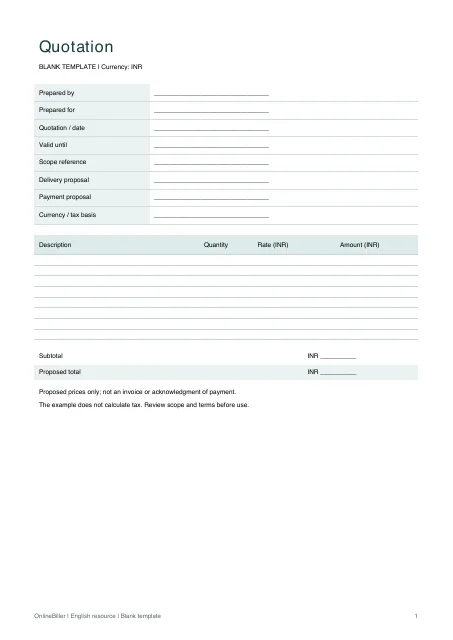 View PDF previewDownload PDF7 KB · A4 · No calculations needed
Blank + example workbook — Excel
Includes Blank, Example and Instructions sheets. Formulas and fixed entry limits are documented inside.
Download XLSX11 KB · A4 · Includes calculationsWorked example — DOCX
Editable Word document. Enter and check amounts manually; totals do not recalculate.
Download DOCX38 KB · A4 · Enter and check totals yourselfWorked example — PDF
Print-ready fixed document. It has no fillable form fields.
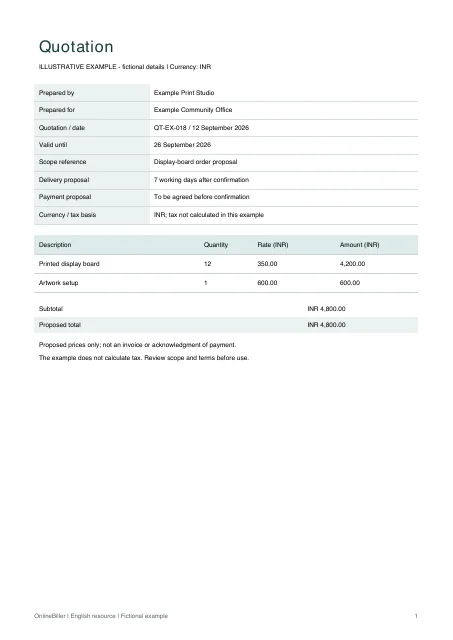 View PDF previewDownload PDF7 KB · A4 · No calculations needed
A completed example
| Description | Quantity | Rate (INR) | Amount (INR) |
|---|---|---|---|
| Printed display board | 12 | 350.00 | 4,200.00 |
| Artwork setup | 1 | 600.00 | 600.00 |
Fictional example. Use the figures only to follow the document and calculation.
What to fill in
| Field | What to enter | Example |
|---|---|---|
| Offer reference and validity | Separate the quote date from the date until which the offer is open. | QT-EX-018; valid through 26 September 2026 |
| Scope | Describe exactly what the price includes. | 12 printed display boards |
| Price basis | Use quantity/rate or a clearly identified fixed fee. | 12 × INR 350 |
| Terms | State your actual delivery and payment proposal; do not insert stock terms that have not been agreed. | Delivery proposed within 7 working days after confirmation |
Keep the proposed status visible
A quotation communicates an offer. Do not present it as an issued invoice, an accepted purchase order or a payment receipt.
Make scope changes visible
The example proposes twelve boards and a separate artwork fee, totaling INR 4,800. A change in quantity or artwork scope should trigger a review of the offer and its reference/version.
Review before sending
- List the included goods or services and what is excluded.
- Check rates, quantities, validity and delivery proposal.
- State tax treatment only after reviewing the actual supply.
- Save the issued offer and record any acceptance separately.
Choose Word or Excel for the quotation
Use Excel for the ten quantity-and-rate rows and calculated total. Use Word to adjust labels or write a longer scope, checking amounts manually. The A4 PDFs are fixed blank and completed examples. The short cover email below can accompany your edited quotation.
Send a short quotation cover email
Quotation for review
Subject: Quotation [reference] — [project or supply]

Hello [name],

Please find our quotation [reference] for [scope]. The proposed amount is INR [amount], with the inclusions, exclusions and validity date shown in the quotation. Please review those details and let us know whether you need any changes. We will confirm acceptance and scheduling separately.

Regards,
[name / business]
Common questions
Does a quotation prove the customer ordered?
No. Keep the customer’s actual acceptance or order record separately.
Does OnlineBiller send the quotation?
No. Download the document and use your own communication process.