
Formats and completed examples
Purchase Order Format
Download purchase order formats in Word, Excel and PDF for a buyer ordering from a supplier. The files include item specifications, quantities, prices, ship-to details and a requested delivery date.
Buyers preparing their own order document.
On this page
At a glance
- The buyer issues the PO; the supplier issues the later invoice.
- Keep the ship-to address and requested delivery date clear.
- The example orders four chairs and delivery for INR 9,200.
Download your format
Files are in English. Choose the version you need below.
Blank template — DOCX
Editable Word document. Enter and check amounts manually; totals do not recalculate.
Download DOCX38 KB · A4 · Enter and check totals yourselfBlank template — PDF
Print-ready fixed document. It has no fillable form fields.
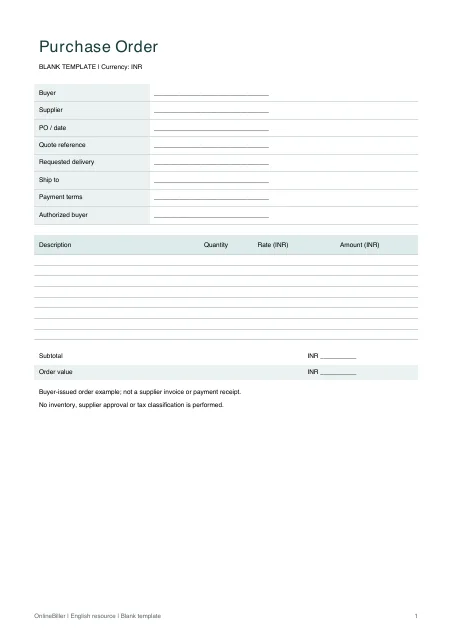 View PDF previewDownload PDF7 KB · A4 · No calculations needed
Blank + example workbook — Excel
Includes Blank, Example and Instructions sheets. Formulas and fixed entry limits are documented inside.
Download XLSX11 KB · A4 · Includes calculationsWorked example — DOCX
Editable Word document. Enter and check amounts manually; totals do not recalculate.
Download DOCX38 KB · A4 · Enter and check totals yourselfWorked example — PDF
Print-ready fixed document. It has no fillable form fields.
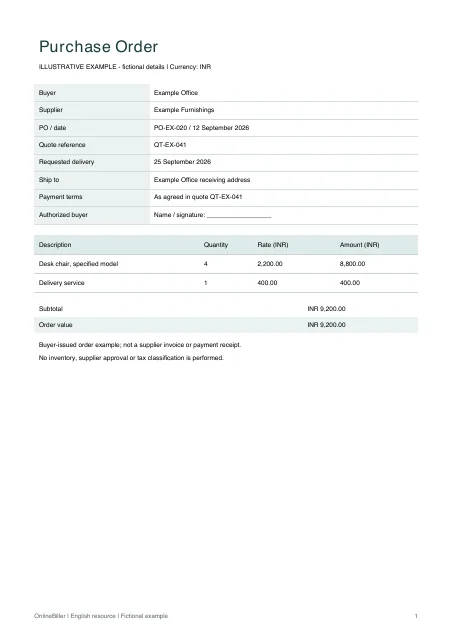 View PDF previewDownload PDF7 KB · A4 · No calculations needed
A completed example
| Description | Quantity | Rate (INR) | Amount (INR) |
|---|---|---|---|
| Desk chair, specified model | 4 | 2,200.00 | 8,800.00 |
| Delivery service | 1 | 400.00 | 400.00 |
Fictional example. Use the figures only to follow the document and calculation.
What to fill in
| Field | What to enter | Example |
|---|---|---|
| Buyer and supplier | Identify the ordering party separately from the party expected to supply. | Example Office → Example Furnishings |
| Order lines | State an item specification and unit rather than just a total value. | Desk chair, 4 units |
| Requested delivery | Use a delivery date and ship-to address, distinct from the PO issue date. | Requested by 25 September 2026 |
| Terms and approval | Reference the actual quote and your own approval process. | Supplier quote QT-EX-041 |
Keep the buyer’s order separate from the supplier’s bill
The PO states an order request and its terms. The supplier’s later invoice, delivery record and payment record serve different purposes.
Check the order example
Four chairs at INR 2,200 and an INR 400 delivery service total INR 9,200 in the example. Confirm specifications and any applicable tax with the supplier before issuing your own order.
Review the order
- Match the supplier and quote reference.
- Confirm the item specification, unit, quantity and rate.
- Check ship-to details and requested delivery date.
- Follow the buyer’s actual approval and supplier-confirmation process.
Prepare the PO in a file or online
Excel provides ten quantity-and-rate rows with calculated amounts. Word lets you edit the specification and terms, with manual totals. The PDFs are fixed A4 copies. Use the linked purchase-order generator if you prefer an online form; these files do not import into it.
Common questions
Does this send or approve the order?
No. It creates a document. Supplier sending, approval, inventory and invoice matching are separate processes.
Can the supplier’s invoice replace the PO?
A supplier invoice is not the buyer’s original ordering record. Keep each document according to its role.