
Formats and completed examples
Invoice Format in Word
Download a Word invoice template with editable text and tables, plus blank and completed PDFs. Replace the party details and item rows, calculate the amounts, then save a PDF copy for sending.
Small businesses preparing a straightforward itemized invoice from their own records.
On this page
At a glance
- Word lets you edit labels, descriptions and table rows; amounts must be updated manually.
- The worked invoice totals INR 2,300 from three service units and two supplied items.
- Keep the DOCX for edits and send a checked PDF copy.
Download your format
Files are in English. Choose the version you need below.
Blank template — DOCX
Editable Word document. Enter and check amounts manually; totals do not recalculate.
Download DOCX38 KB · A4 · Enter and check totals yourselfBlank template — PDF
Print-ready fixed document. It has no fillable form fields.
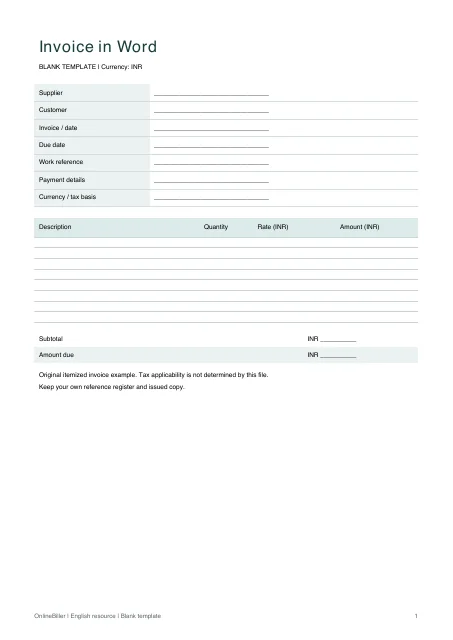 View PDF previewDownload PDF7 KB · A4 · No calculations needed
Worked example — DOCX
Editable Word document. Enter and check amounts manually; totals do not recalculate.
Download DOCX38 KB · A4 · Enter and check totals yourselfWorked example — PDF
Print-ready fixed document. It has no fillable form fields.
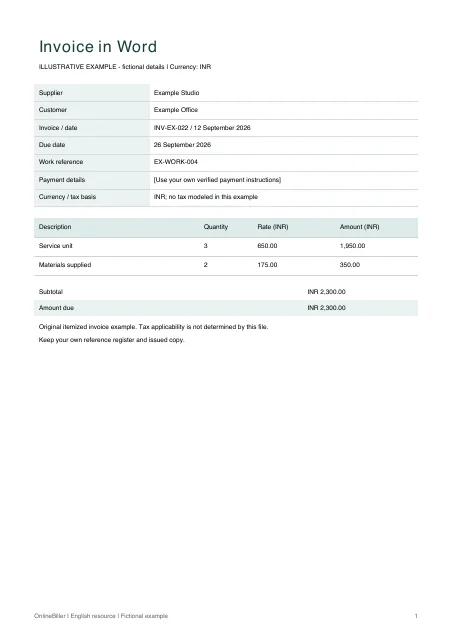 View PDF previewDownload PDF6 KB · A4 · No calculations needed
A completed example
| Description | Quantity | Rate (INR) | Amount (INR) |
|---|---|---|---|
| Service unit | 3 | 650.00 | 1,950.00 |
| Materials supplied | 2 | 175.00 | 350.00 |
Fictional example. Use the figures only to follow the document and calculation.
What to fill in
| Field | What to enter | Example |
|---|---|---|
| Invoice reference | Keep the reference tied to your own issue records. | INV-EX-022 |
| Parties | Identify supplier and customer separately. | Example Studio / Example Office |
| Line basis | Show a quantity, rate and amount that the customer can check. | 3 service units × INR 650 |
| Payment terms | Use the agreed due date and method; the file does not track collection. | Due 26 September 2026 |
Check how the amount is formed
Three service units at INR 650 give INR 1,950; two supplied items at INR 175 give INR 350. The subtotal is INR 2,300. The example makes no tax-rate or exemption assumption.
Edit the invoice and check page breaks
- Save a new copy of the blank DOCX.
- Replace the party, date, reference and payment placeholders.
- Edit the table text and calculate each line and total yourself.
- Check page breaks after inserting long descriptions or new rows, then export to PDF.
Save a PDF copy from Word
After editing, keep the DOCX and save a separate PDF. In desktop Word, open File, choose Save As or Save a Copy, and select PDF as the file format. The exact menu depends on your version.
- Check all line amounts and the total before saving.
- Inspect page breaks, long addresses and table rows in print preview.
- Open the saved PDF and check it again before sending.
Common questions
Will Word recalculate the invoice total?
No. These DOCX tables contain manual amounts. Recalculate the lines and total when you change a quantity or price, or use the separate Excel invoice template.
Does the file choose GST rates?
No. The simple example does not determine tax applicability. Use the separate reviewed GST invoice format for that document’s fields.
Sources and further reading
- Microsoft Support: save or convert Office files to PDF — Desktop Word PDF-saving instructions; menu names vary by version. This reference is not a test of the supplied DOCX in installed Word.
Sources checked: .