
Formats and completed examples
Credit Note Format
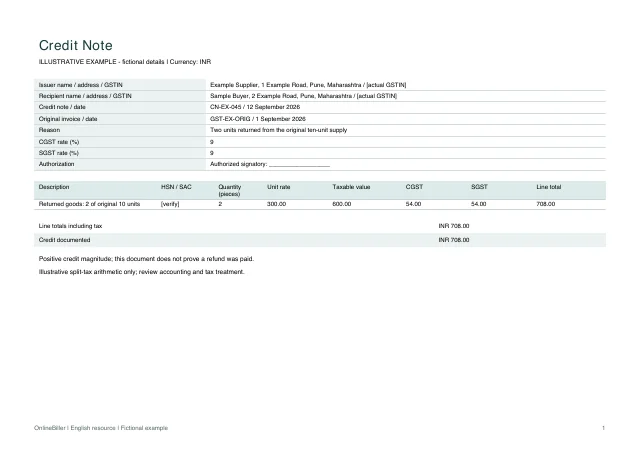
Download a credit note in Word, Excel or PDF to record a reduction against an original invoice. The returned-goods example credits two units, including illustrative tax, for a total of INR 708.
Businesses recording an agreed invoice adjustment, with accounting or tax review where required.
On this page
At a glance
- Give the credit note its own reference and identify the original invoice and adjustment reason.
- Enter positive quantities for the units credited; the note records the reduction.
- Any refund, ledger posting or tax adjustment is a separate step.
Download your format
Files are in English. Choose the version you need below.
Blank template — DOCX
Editable Word document. Enter and check amounts manually; totals do not recalculate.
Download DOCX38 KB · A4 landscape · Enter and check totals yourselfBlank template — PDF
Print-ready fixed document. It has no fillable form fields.
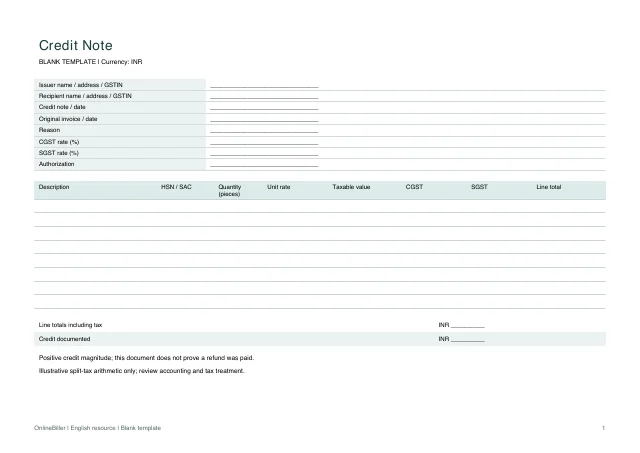 View PDF previewDownload PDF8 KB · A4 landscape · No calculations needed
Blank + example workbook — Excel
Includes Blank, Example and Instructions sheets. Formulas and fixed entry limits are documented inside.
Download XLSX12 KB · A4 landscape · Includes calculationsWorked example — DOCX
Editable Word document. Enter and check amounts manually; totals do not recalculate.
Download DOCX38 KB · A4 landscape · Enter and check totals yourselfWorked example — PDF
Print-ready fixed document. It has no fillable form fields.
 View PDF previewDownload PDF7 KB · A4 landscape · No calculations needed
A completed example
| Description | HSN / SAC | Quantity (pieces) | Unit rate | Taxable value | CGST | SGST | Line total |
|---|---|---|---|---|---|---|---|
| Returned goods: 2 of original 10 units | [verify] | 2 | 300.00 | 600.00 | 54.00 | 54.00 | 708.00 |
Fictional example. Use the figures only to follow the document and calculation.
What to fill in
| Field | What to enter | Example |
|---|---|---|
| Original invoice | Identify the invoice number and date being adjusted, including each relevant invoice when there is more than one. | GST-EX-ORIG / 1 September 2026 |
| Reason and document identity | Give the credit note its own reference/date and state the actual reason for the reduction. | CN-EX-045 / two units returned |
| Credit amount | Enter a positive amount for the credit being documented. The file does not post a negative sale or pay a refund. | INR 708.00 credit |
| Description and code | Use the actual goods/services description and applicable HSN/SAC. Example codes are intentionally not invented. | Enter verified HSN/SAC |
| Taxable value | Record the value on which the selected tax is calculated; this workbook has no discount, inclusive-tax or cess calculation. | 2 × INR 300 = INR 600 |
| Tax components | Select the correct supply treatment before choosing rates. The worked 9% + 9% arithmetic is illustrative, not a rate recommendation. | CGST 54; SGST 54 |
| Authorization | Use the authorized signatory or permitted electronic process appropriate to the real document. | Authorized signatory |
Connect the credit to the original invoice
The original example covered ten units at INR 300 each. Returning two units gives INR 600 taxable value plus illustrative CGST of INR 54 and SGST of INR 54, totaling INR 708 credit. Retain the original invoice and the record of the agreed return.
Separate the credit from its settlement
A credit note may reduce an outstanding balance or lead to a separately recorded refund. This file records the adjustment only. It does not prove a refund was paid, determine a tax reduction or update a customer ledger.
- Confirm the adjustment and original invoice details.
- Use the rates and values applicable to the adjustment.
- Check the positive credit amount shown on the note.
- Record any resulting ledger entry or refund through the appropriate separate process.
Use the correct document direction
This download is a credit note for a reduction. It is not a debit note template for increasing an amount. A reverse-charge or commercial-only adjustment may require a different reviewed treatment.
Calculate the credit or edit it manually
The Excel Blank sheet calculates up to ten credited lines using shared CGST and SGST rates, rounding each line and tax component to two decimals. Enter positive quantities and rates. Word amounts are manual and PDFs are fixed copies. An IGST or mixed-rate adjustment needs a different reviewed calculation; no such workbook is supplied here.
Common questions
Does this automatically reduce my GST liability?
No. The file does not decide eligibility, reporting periods, recipient treatment or return adjustments. Review the actual circumstances and applicable requirements.
Should I enter a negative quantity?
No. Enter the positive number of units being credited; the document title and purpose establish the adjustment direction.
Can I credit multiple invoices?
The manual reference area can be expanded to identify them accurately. Reconcile the allocation before issue; the workbook is not an invoice-allocation ledger.
Sources and further reading
- CGST Rule 53 — credit/debit note particulars — Reference for adjustment document details; no automatic tax-reduction or filing claim.
Sources checked: .